Deploy Terno securely inside your own AWS infrastructure
Launch Terno using the official AMI and run analytics fully within your AWS environment. No external database exposure. Complete governance control.
Step-by-Step Deployment Guide
Subscribe to the Official Terno AMI
Navigate to AWS Marketplace and locate the official Terno AMI. Click Subscribe and continue to launch.
Launch via EC2
Select Launch through EC2 and configure:
- AWS region
- Instance type (recommended:
t3.largeor higher) - SSH key pair
Configure Networking & Security Groups
Deploy inside your VPC. Restrict inbound access to required ports. Ensure secure routing between EC2 and your database.
Review & Launch Instance
Verify configuration, attach IAM roles if required, and launch the instance.
Access the Terno Interface
Open the public IP or internal DNS in your browser. Complete the initial admin setup.
Connect Your Database
Enter credentials securely. Configure role-based and column-level access controls before enabling users.
Begin Secure Analytics
Users can now run governed natural language queries fully within your AWS infrastructure.
Upcoming Events

Connect and Analyze Multi-Channels (ads,analytics,crms,revenue) all in one platform
Architecture of Terno
"Terno’s architecture blends modular intelligence with secure, semantic access to enterprise data. It is designed for scalability, extensibility, and precision across diverse tools and databases"

Metastore
The Metastore holds business knowledge, provided by experts or learned automatically from your data, to generate accurate, context-aware SQL. Keeps the data catalog up to date and continuously improves query relevance.

SQLShield
A deterministic security layer that sanitizes queries, enforces RBAC, and prevents unsafe SQL execution before queries reach the database. Optimizes query generation while protecting against injection and misuse.

Semantic Layer on Databases
Terno adds a semantic layer on top of databases, enabling searches based on meaning rather than exact keywords. This allows queries like “blue jeans” to match related data such as “navy denims”.

Multi-database intelligence
Terno can analyze across multiple databases and data sources in a single query, relational databases, ERPs, and files. Works with PostgreSQL, MySQL, BigQuery, ERPs like Odoo, and files such as CSV, Excel, and PDFs.

Artifact Store
Intermediate outputs such as datasets, models, queries, charts, and code are stored as reusable artifacts. This accelerates analysis and allows teams to build on verified work.

Enterprise tooling augmentation
Terno integrates with internal tools and workflows such as APIs, schedulers, and notifications. Example: automatically send reports, trigger jobs, or call internal systems.
Security and accuracy by design
When deployed via AMI, Terno runs entirely inside your AWS boundary.
SECURITY
Runs fully inside your VPC
Your databases, your IAM policies, your security groups.
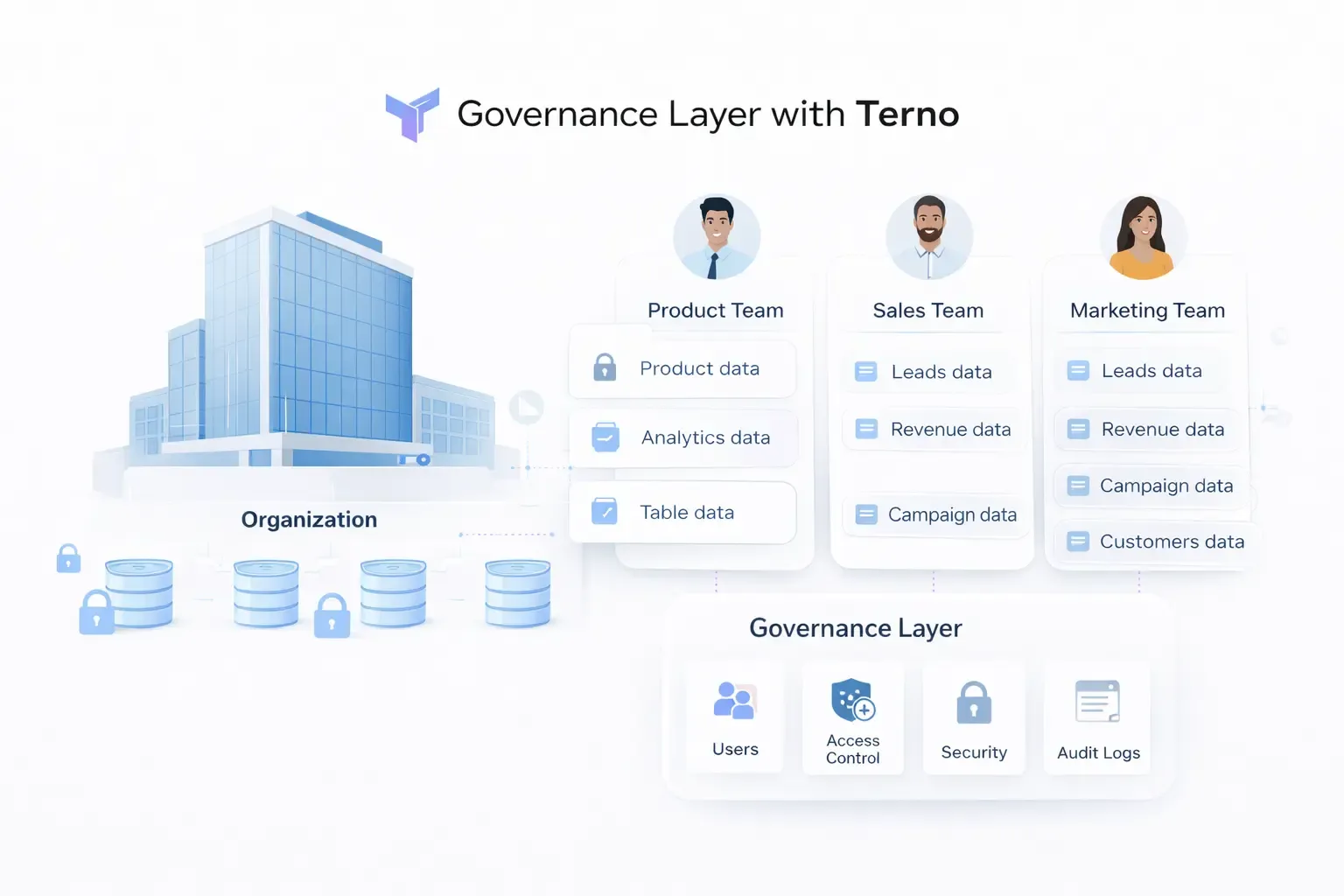
No external data exposure
All queries execute inside your AWS environment.
IAM & VPC compatible
Integrates with existing IAM roles and private networking.
Fine-grained access control
Enforce table, column, and row-level governance.
Deterministic query shielding
SQLShield prevents unsafe execution before reaching your database.
ACCURACY
Hallucination-free AI analytics
Terno generates executable queries. Answers come from real computation — not probabilistic text.
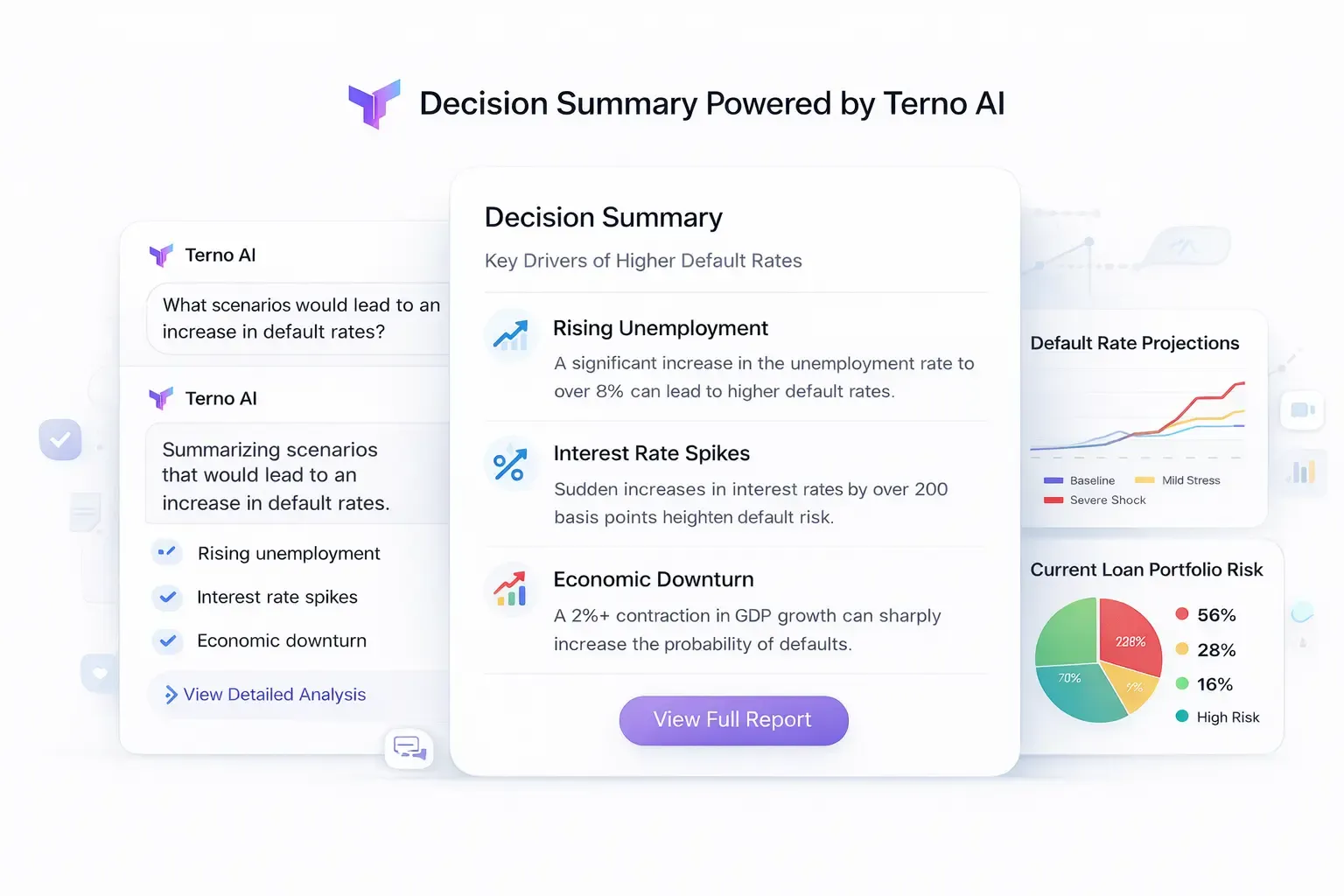
Computed, not imagined
Every result is backed by executable SQL.
Semantic business layer
Clear metric definitions eliminate ambiguity.
Verification loops
Optional verifier agents validate analytical outputs.
Reusable governed logic
Pre-verified queries scale safely across teams.
Trusted by enterprise teams
"We deployed Terno fully inside our VPC in under an hour."
Cloud Architect, Fintech
"Security approved it immediately because nothing leaves AWS."
CTO, Enterprise SaaS
"Governed AI without exposing a single table externally."
Head of Data, Retail
Prefer the complete technical walkthrough?
The full documentation includes detailed screenshots, IAM role configurations, security group examples, troubleshooting notes, and deeper architectural guidance.
View the Complete AWS Setup GuideContact Us
Have a question, need a demo, or want to work with us? Reach out and our team will get back to you shortly.
Get in touch
We’re here to help you with data insights, onboarding, pricing or anything else.
reachus@terno.ai
Phone
+1 (412) 568-3901
Address
9450, SW Gemini Dr, PMB 90168, Beaverton, Oregon 97008-7105, United States