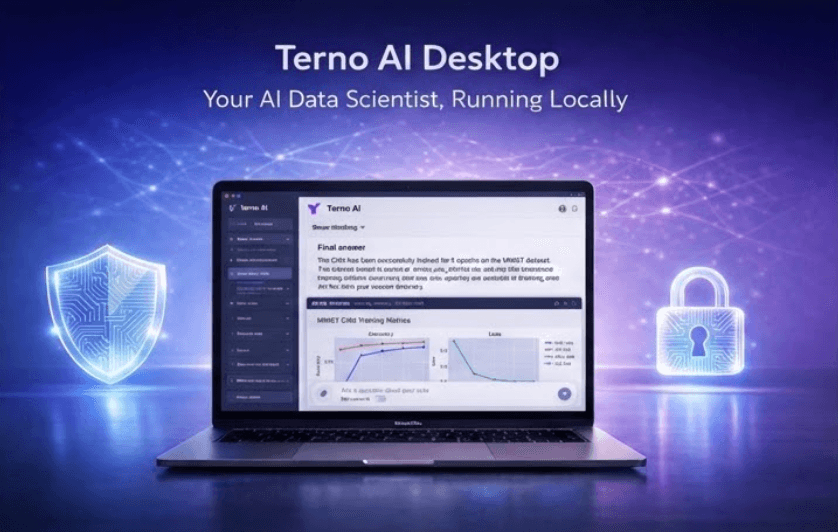
In today’s data-driven organizations, teams expect fast, reliable insights from their data. However, most AI-powered analytics tools operate in the cloud, creating a fundamental challenge for enterprises.
Your data resides in your network, while the AI tools sit outside it.
This disconnect introduces security concerns, compliance risks, and operational friction. Terno AI Desktop is designed to solve this problem.
What is Terno AI?
Terno is an AI-powered data scientist that allows users to analyze data using natural language.
Instead of writing complex queries or building dashboards manually, users can simply ask questions in plain English and receive insights, visualizations, and reports instantly.
Terno connects to a wide range of data sources, including databases such as PostgreSQL, MySQL, BigQuery, and Snowflake, as well as files like CSV, JSON, and PDFs. It supports the full analytics workflow, including exploratory data analysis, machine learning, real-time processing, and automated reporting.
The Problem
The Enterprise Reality: Why Web-Based AI Falls Short
Enterprise environments operate under strict security and infrastructure constraints.
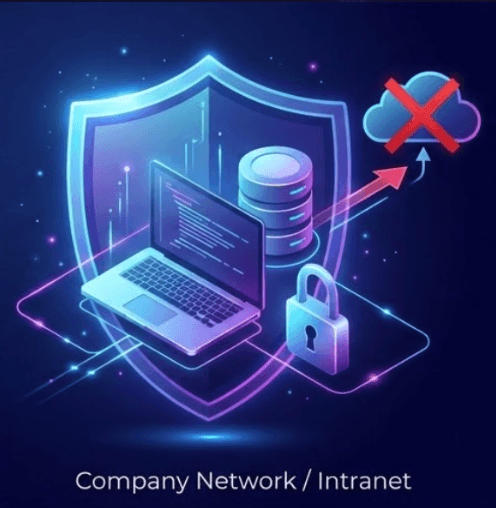
Internal databases are not publicly accessible and are typically restricted to company networks or VPN connections. Security policies often prohibit external applications from accessing internal systems, and prevent data from leaving the network boundary.
Cloud-based AI tools struggle in this environment because they require exposing databases, creating secure tunnels, or modifying firewall rules. These requirements often conflict with compliance standards and are rejected by IT and security teams.
Even when cloud tools are technically secure, their external nature makes them difficult to adopt in enterprise settings.
The Solution
Bringing AI to Where the Data Lives
Instead of forcing enterprises to adapt their infrastructure to AI tools, Terno Desktop changes the approach.
It brings the AI directly to the user’s environment, where the data already resides.
What is Terno AI Desktop?
Terno AI Desktop is a self-contained desktop application that runs locally on the user’s machine.
It provides the full capabilities of Terno AI while ensuring that all processing happens within the local environment.
Key capabilities include:
A local AI assistant that runs entirely on your laptop
Always accessible through a lightweight desktop interface
Execution of analytics in an isolated sandbox environment
Secure handling of data with no external exposure
A fast and seamless native experience on macOS
How Terno Desktop Works
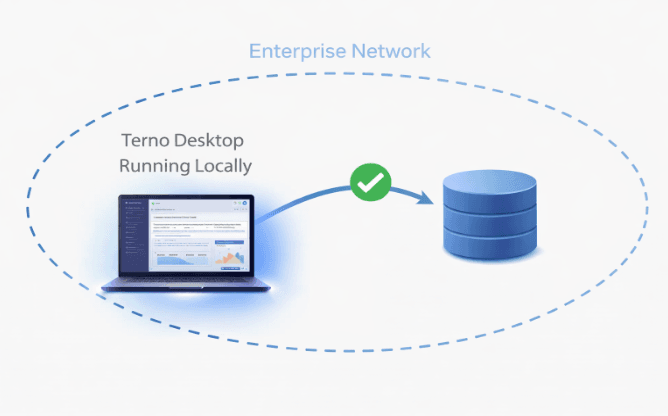
The design of Terno Desktop leverages the existing enterprise setup.
User machines are already connected to internal systems through VPN or corporate networks. By running locally on these machines, Terno gains direct access to internal databases without requiring any additional infrastructure changes.
All queries and computations are executed locally. No data is transmitted outside the system.
This approach ensures:
Data never leaves the enterprise environment
No firewall or network changes are required
Full compliance with enterprise security policies
What Can You Do With Terno Desktop?
Terno Desktop enables users across technical and non-technical roles to work with data more effectively.
Users can ask questions in natural language and receive immediate insights. The system automatically generates and executes SQL queries, processes the data, and returns results in the form of tables, charts, or summaries.
It also supports generating reports and visualizations instantly, without requiring manual setup or configuration.
In addition, Terno Desktop connects securely to both local and enterprise data sources, enabling deep analysis without compromising security.
Terno Web vs AMI vs Desktop
Terno is available in multiple deployment models, each suited to different use cases.
The web version offers instant access with minimal setup, making it suitable for quick onboarding and distributed teams.
The AMI deployment runs within an organization’s AWS VPC, providing strong security and scalability for cloud-based infrastructure.
The desktop application, however, offers the highest level of data privacy and compliance. It runs entirely within the enterprise network, making it ideal for environments with strict security requirements.
| Feature | Web (Cloud/SaaS) | AMI (AWS Deployment) | Desktop App |
|---|---|---|---|
| Setup & Maintenance | Zero setup, instantly available. | Requires AWS provisioning, server setup, manual updates. | Simple 1-click local install. |
| Data Access Model | Requires exposing DB or creating secure tunnels to Terno. | Runs inside AWS VPC in your own cloud. | Runs on VPN-connected local machines with direct access to internal DBs. |
| Network Compatibility | Outside enterprise network; blocked by VPN/firewall policies. | Inside cloud VPC. | Fully compatible with enterprise VPN and internal network policies. |
| Data Privacy | Standard cloud security. | High. Stays strictly inside your AWS VPC. | Maximum. Processes locally on your hardware. |
| Performance | Reliant on internet latency. | Scalable via AWS compute power. | Lightning-fast, native OS responsiveness. |
| Best For | Quick onboarding & distributed teams. | Enterprise security & heavy database workloads. | Secure, compliant analysis within enterprise networks. |
In simple terms, the desktop version is best suited when data must remain within the enterprise boundary.
Why Enterprises Choose Terno Desktop
Terno Desktop aligns with how enterprises operate.
It does not require changes to existing infrastructure, does not compromise on security, and does not introduce compliance risks.
By running inside the enterprise network, it works seamlessly within existing constraints while still delivering the full power of AI-driven analytics.
Get Started
You can download Terno AI Desktop using the link below:
https://d1rk1erjfmpiny.cloudfront.net/TernoAI.dmg
Conclusion
AI-driven analytics is not just about generating insights. It is about doing so in a way that respects data security, enterprise policies, and operational realities.
Terno AI Desktop achieves this by bringing intelligence directly to the data, rather than moving data to the intelligence.
It enables organizations to adopt AI confidently, without compromising on trust or control.

10 September 2026
Designing CertusAI: A Compliance-First Enterprise LLM Platform for Regulated Industries
As enterprise adoption pivots from raw model parameter scale to verifiable trust, CertusAI introduces a compliance-first LLM architecture engineered specifically for highly regulated industries. By integrating real-time PII redaction, deterministic policy enforcement, and cryptographically signed audit chains directly into the inference pipeline, CertusAI unlocks agentic AI productivity while ensuring total data sovereignty and statutory compliance.
10 September 2026
E-Commerce Return Intelligence: Analyzing Return Drivers and Predicting Purchase-Time Return
Addressing reverse-logistics friction and return-rate costs in fashion e-commerce, this study leverages the 1.37M-record ASOS GraphReturns dataset to evaluate product, pricing, and country-level return drivers. Using Terno AI for structured analysis alongside a deployed Logistic Regression baseline, the platform provides purchase-time risk scoring to power relative risk ranking, operational prioritization, and non-punitive intervention pilots.
10 September 2026
Global Food Loss Intelligence: Strategic Screening & Decision Framework
An executive decision-support whitepaper translating the official FAO Food Loss Index (SDG Indicator 12.3.1a) into actionable intelligence for 2021–2023. This study establishes a data-driven monitoring baseline across major commodity groups, identifying Fruits & Vegetables (3-year mean index of 109.65) as the primary priority for diagnostic follow-up while offering structured strategies for public policy, industry benchmarking, and evidence-based resource allocation.