Introducing the Terno AI AMI: Deploy Enterprise-Grade Data Intelligence on Your Own AWS Infrastructure short this title
Today, we are excited to announce the launch of the Terno AI AMI on the AWS Marketplace — a ready-to-use server image that lets organizations deploy Terno AI securely inside their own AWS environment, without sharing database credentials, VPN access, or internal data with any external service.
This AMI gives you the fastest and safest way to run Terno AI within minutes, while maintaining full ownership of your infrastructure, network, and data.
Why we created Terno AI AMI?
Many organizations want to use Terno AI to accelerate analytics, automate insights, and empower business teams — but face challenges like:
Tight security and compliance requirements
No permission to send database credentials outside the organization
VPN setups, firewall rules, or lack of cloud-native workflows
Long deployment cycles for internal tools
IT teams overwhelmed with setup and maintenance
The Terno AI AMI solves all of these problems.
With one click, you can deploy the full Terno AI environment — already configured, containerized, and isolated in your own AWS account.
Your data never leaves your cloud.
Your credentials never leave your environment.
And Terno works just like it does on the cloud version — but privately inside your VPC.
How to Deploy Terno AI Using the AMI in your cloud?
1. Subscribe in the AWS Marketplace
Go to the AWS Marketplace and search for Terno AI.
Click Continue to Subscribe.
Click Launch your software.
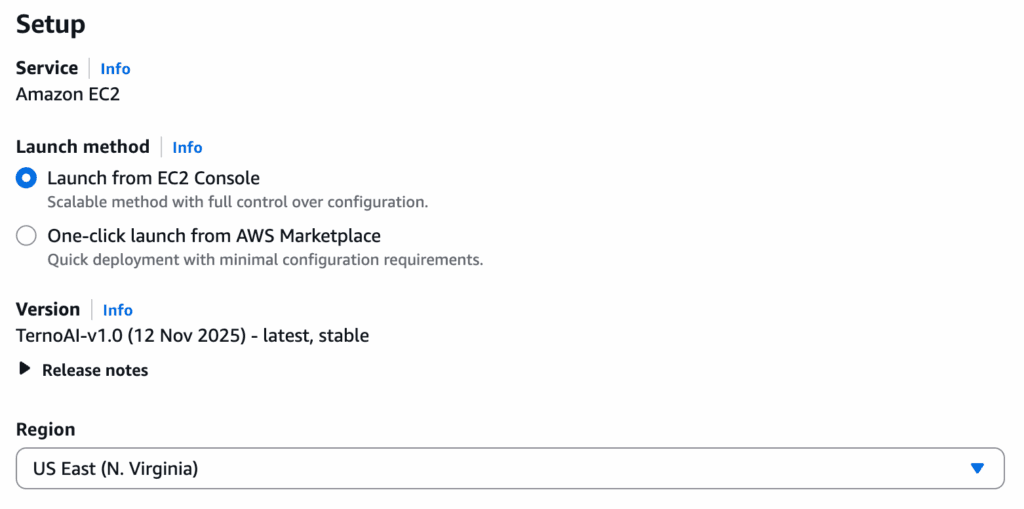
Choose your desired region and click Launch from EC2 Console
2. Launch the Instance
Open the EC2 console, and continue with the launch process.
Name your instance.
Recommended Instance Type: t2.medium
Key Pair: Create a new key pair, use an existing one, or proceed without a key pair (if you do not plan on SSH access).
Security Group: Ensure your security group is configured in the next step to allow inbound traffic.
Click Launch Instance.
3. Open Port 80 for Web Access
Once the instance is running, you need to ensure your Security Group allows web traffic to the Terno AI interface.
Go to the instance details and view its associated security group.
Add an inbound rule:

4. Access Terno AI in Browser
Get the Public IP of your instance.
Open:
- http://<EC2-Public-IP-Address>:80You will land on the Terno AI login page.
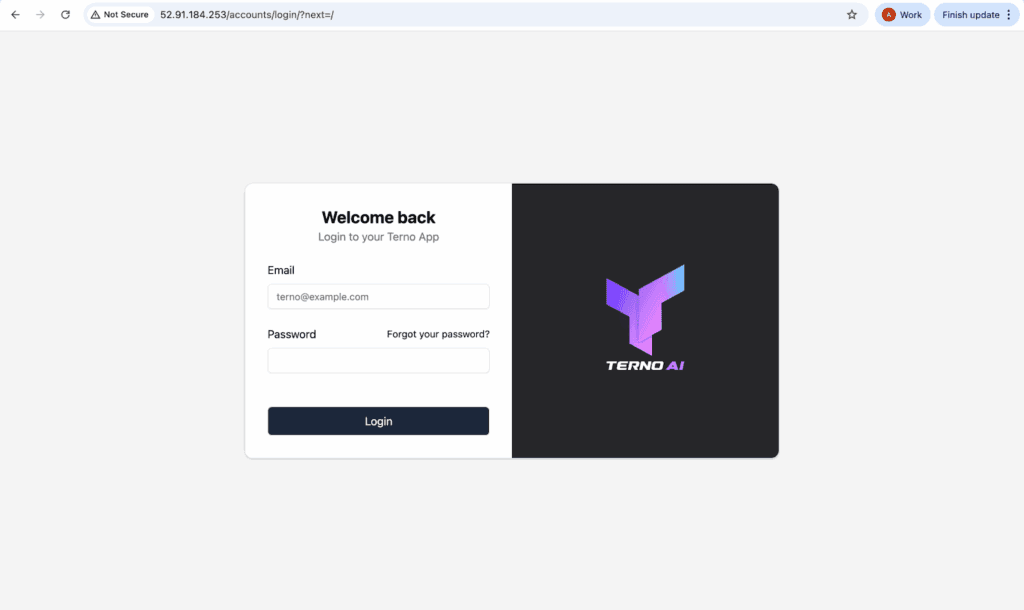
Default Login Credentials:
Email : admin@example.com
Password : Superadmin@123
5. Change Default Password
For security, change the default password using the AWS console/IDE:
Connect to your EC2 instance from EC2 instances.
Run the command:
docker exec -it terno-ai python manage.py changepassword admin
Follow the prompts to enter and confirm your new secure password.
Log in with your new credentials.
6. Final Setup: Configuring the LLM API Key
When you send your first prompt in Terno AI, you will be asked to set up the Terno API key.
Send any message (e.g., “Hello”)
Click the link ‘Get your Key’ and sign up or log in to the Terno AI management portal.
Copy the API Key you receive.
Go back to your Terno AI tab and click the ‘here’ link in the configuration prompt.
Add a new LLM configuration, paste your API Key, and ensure the Enabled checkbox is ticked.
Click Save.
You can now start asking prompts to Terno AI and leverage your private, enterprise-grade AI Data Scientist!
Click here to Launch Terno AI in your AWS account

10 September 2026
Designing CertusAI: A Compliance-First Enterprise LLM Platform for Regulated Industries
As enterprise adoption pivots from raw model parameter scale to verifiable trust, CertusAI introduces a compliance-first LLM architecture engineered specifically for highly regulated industries. By integrating real-time PII redaction, deterministic policy enforcement, and cryptographically signed audit chains directly into the inference pipeline, CertusAI unlocks agentic AI productivity while ensuring total data sovereignty and statutory compliance.
10 September 2026
E-Commerce Return Intelligence: Analyzing Return Drivers and Predicting Purchase-Time Return
Addressing reverse-logistics friction and return-rate costs in fashion e-commerce, this study leverages the 1.37M-record ASOS GraphReturns dataset to evaluate product, pricing, and country-level return drivers. Using Terno AI for structured analysis alongside a deployed Logistic Regression baseline, the platform provides purchase-time risk scoring to power relative risk ranking, operational prioritization, and non-punitive intervention pilots.
10 September 2026
Global Food Loss Intelligence: Strategic Screening & Decision Framework
An executive decision-support whitepaper translating the official FAO Food Loss Index (SDG Indicator 12.3.1a) into actionable intelligence for 2021–2023. This study establishes a data-driven monitoring baseline across major commodity groups, identifying Fruits & Vegetables (3-year mean index of 109.65) as the primary priority for diagnostic follow-up while offering structured strategies for public policy, industry benchmarking, and evidence-based resource allocation.