
Meta Ads
Connect Meta Ads to Terno AI to analyse Facebook and Instagram ad performance.
Connect your Meta ad accounts and ask about campaigns, ad sets, and ads running across Facebook, Instagram, Messenger, and the Audience Network, without opening Ads Manager or exporting CSVs.
Before you start
Section titled “Before you start”- A Facebook account with access to the ad accounts, for example as Advertiser or Analyst in Business Manager.
- Admin rights in your Terno workspace.
Connect Meta Ads
Section titled “Connect Meta Ads”- Click Add Data Connectors, open the Connectors tab, and choose Meta Ads.
- Read the details card, then click Connect.
- Sign in with your Facebook account and approve the permissions.
- You’re returned to Terno, which shows Connected to Meta Ads.
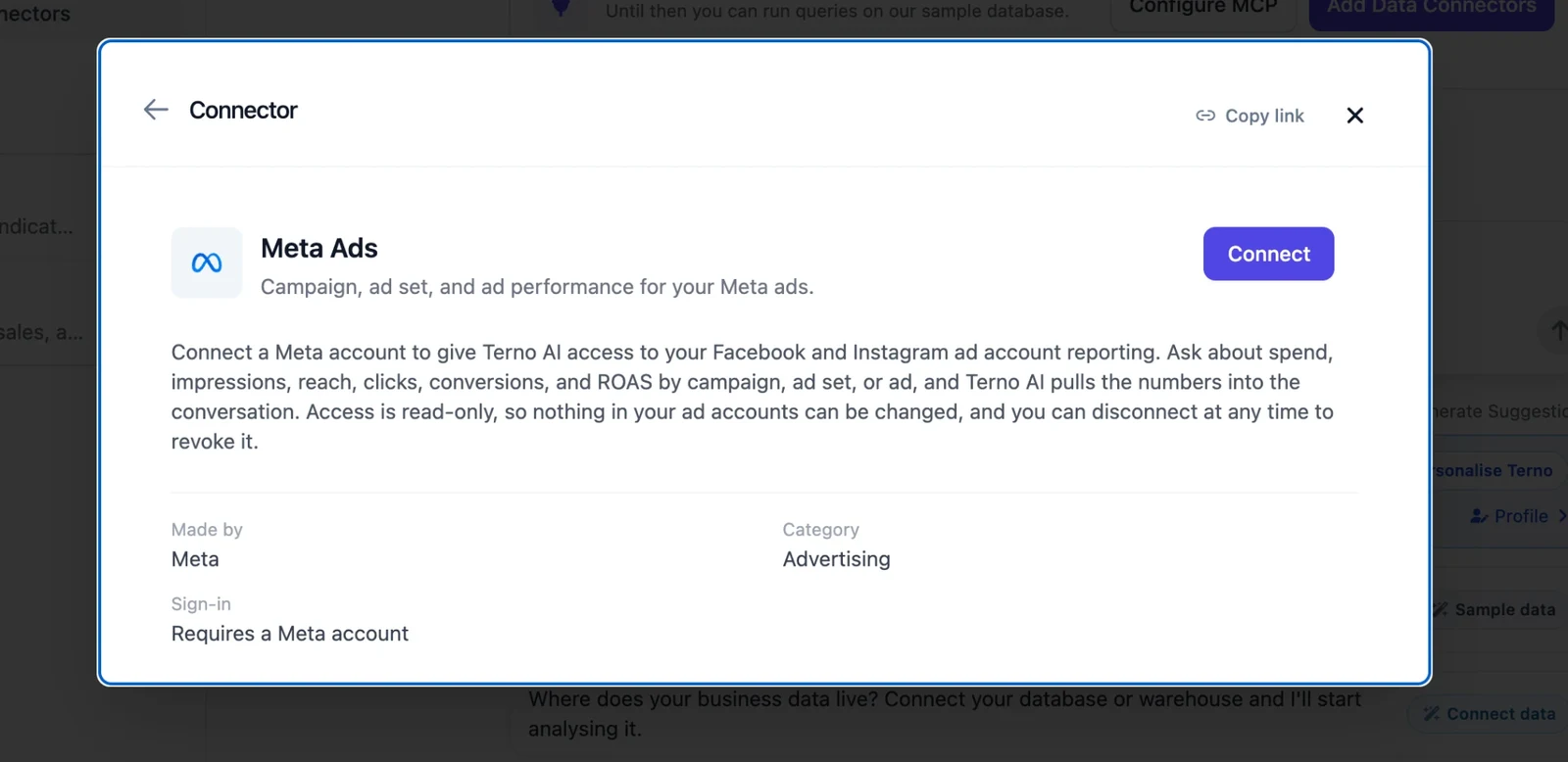
Terno asks for your public profile and ads_read, which lets it read your ads and their results. This is a read-only connection: Terno can’t create, change, or delete anything in your ad accounts.
Choose accounts
Section titled “Choose accounts”Right after you sign in, Terno lists the ad accounts your login can see, and switches them all on. Set each one to:
- Read: Terno can query it.
- No access: Terno never queries it.
Use Set all to Read or Set all to No access to change them in one go. Change this later from Manage → Account selection on the connector.
What you can analyse
Section titled “What you can analyse”Meta Ads data is organised as Account → Campaigns → Ad sets → Ads. Terno can report at any level:
| Report | What’s in it |
|---|---|
| Insights | Performance metrics such as impressions, reach, frequency, clicks, spend, CTR, CPC, CPM, and results, at the account, campaign, ad set, or ad level. |
| Campaigns | Campaigns with their objective, status, and budget. |
| Ad sets | Ad sets with targeting, schedule, and budget. |
| Ads | Individual ads and their status. |
| Action types | Which conversion and engagement actions your account records. |
Try asking:
- “What’s my spend and ROAS by campaign this month?”
- “Which ads have the best click-through rate in the last 7 days?”
- “How much did I spend on Facebook versus Instagram last month?”
- “Which ad sets have high spend but few purchases?”
- “Show daily spend for the last 30 days as a chart.”
If you’ve connected several ad accounts, mention the account name in your question.
Best practices
Section titled “Best practices”- Give a time range: “last 30 days” or “December 2025” rather than “all campaigns”.
- Start broad, then drill down: the top campaigns first, then the ad sets and ads inside one.
- Compare periods: this week versus last week, or before and after a creative change.
- Allow for delays: Meta can take a few hours to report the most recent results. Yesterday and earlier are usually complete.
Troubleshooting
Section titled “Troubleshooting”My ad account isn’t in the list
Sign in with the Facebook account that has access to it. In Business Manager, make sure your user has at least Analyst access to the ad account. If you were given access recently, click Manage → Reconnect.
Recent results are missing
Meta’s API can lag by a few hours. Try again later, or ask about yesterday and earlier.
”Reconnect the source” or the connection has expired
The sign-in was revoked or expired. An admin opens the connector and clicks Manage → Reconnect. Reconnecting keeps your account selections and chat history.
”Not permitted to query account(s)”
The account is set to No access, or an admin limited your group to other accounts. Ask an admin to check Account selection and Access control.
”Too many requests” or “Daily quota … is exhausted”
Terno limits how often each workspace calls each app, to stay within the app’s own limits. Wait a moment and try again. Daily quotas reset at 00:00 UTC. See Limits.
Security
Section titled “Security”- You sign in on Facebook’s own page. Terno never sees your password.
- Tokens are encrypted at rest and refreshed automatically when the app allows it.
- Read-only: Terno can’t create, change, or delete campaigns, budgets, or ads.
- Only workspace admins can connect, reconnect, or disconnect. Everyone in the workspace can ask questions about the accounts that are switched on.
Disconnect
Section titled “Disconnect”Open the connector and click Manage → Disconnect. Terno deletes its stored tokens and can no longer fetch new data. Your account selections, notes, and earlier chats are kept, so reconnecting later picks up where you left off. Nothing changes in your Facebook account.
To also remove Terno’s access on the Facebook side, revoke it in your Facebook account settings.