
App Services
Save analyses from your chats as reusable App Services and run them again with new inputs.
App Services are reusable analyses saved from your chats. Terno turns an answer into a small app with inputs, such as a year or how many rows to show. You can run it again any time without asking the whole question again.
Save with the button
Section titled “Save with the button”-
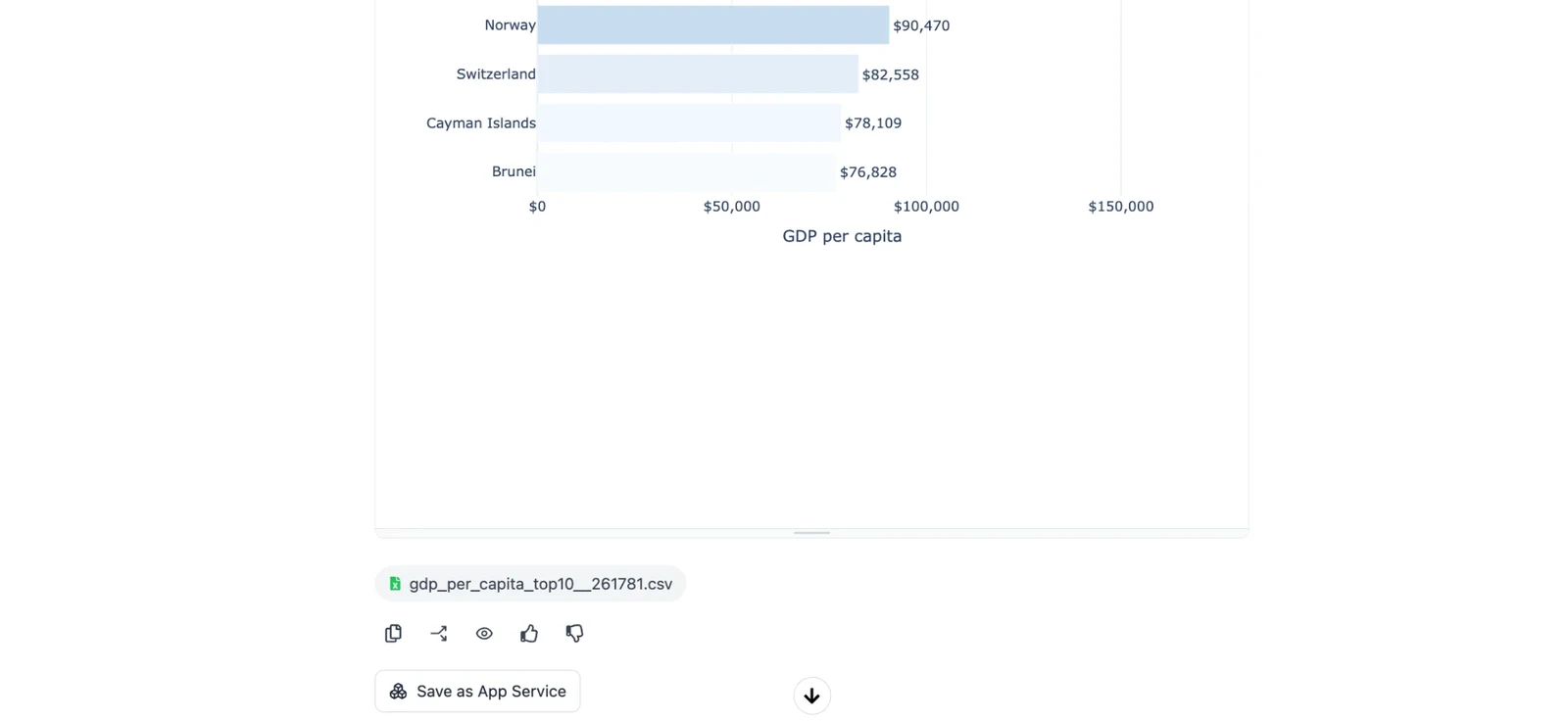
In a chat, get an answer you’ll want again, for example “top 10 countries by GDP per capita, as a bar chart”.
-
Under Terno’s reply, click Save as App Service.
-
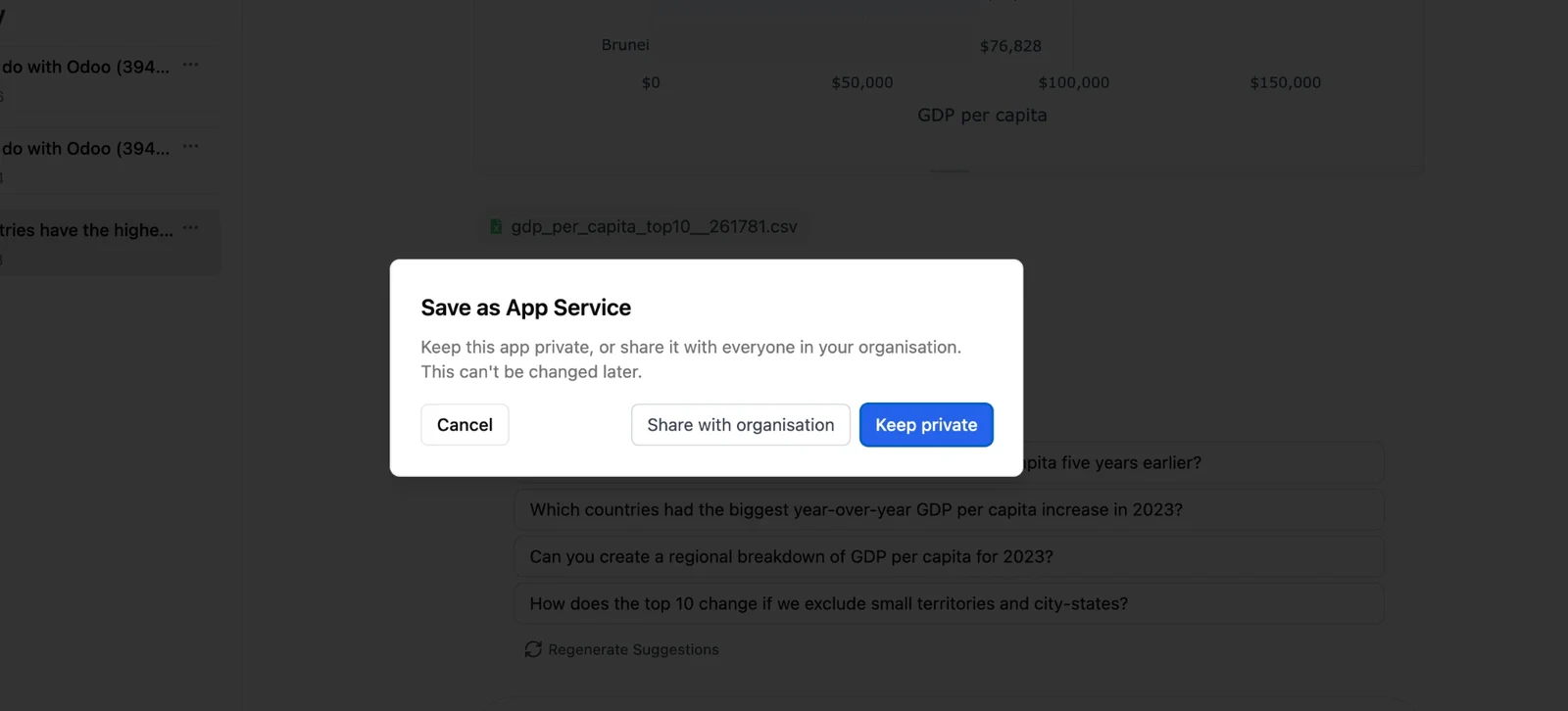
Choose who can use it:
- Keep private: only you.
- Share with organisation: everyone in your workspace.
Save by asking
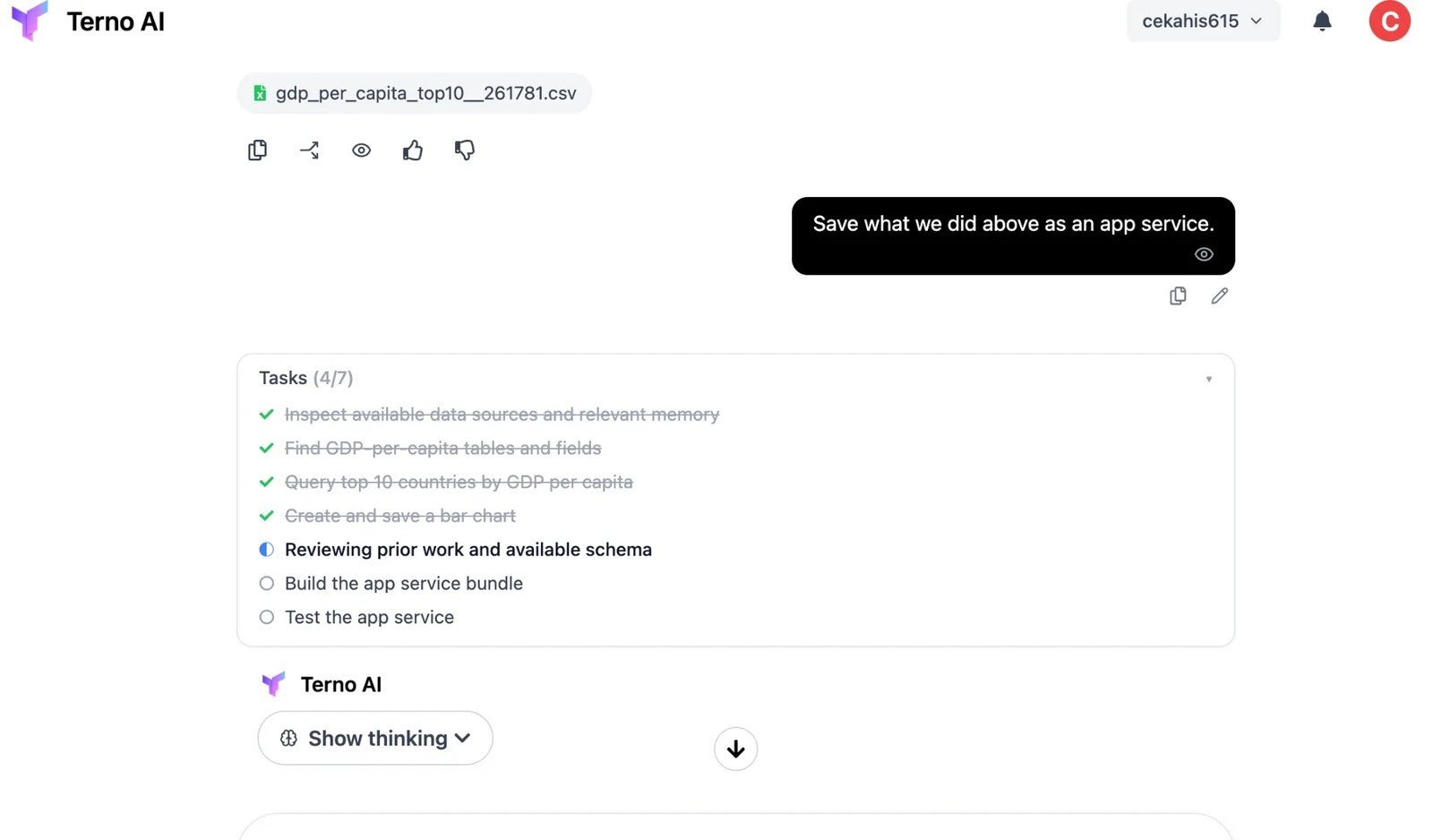
Section titled “Save by asking”You can also just ask, for example “Save what we did above as an app service.” Terno plans the work, builds the app, and tests it before saving:
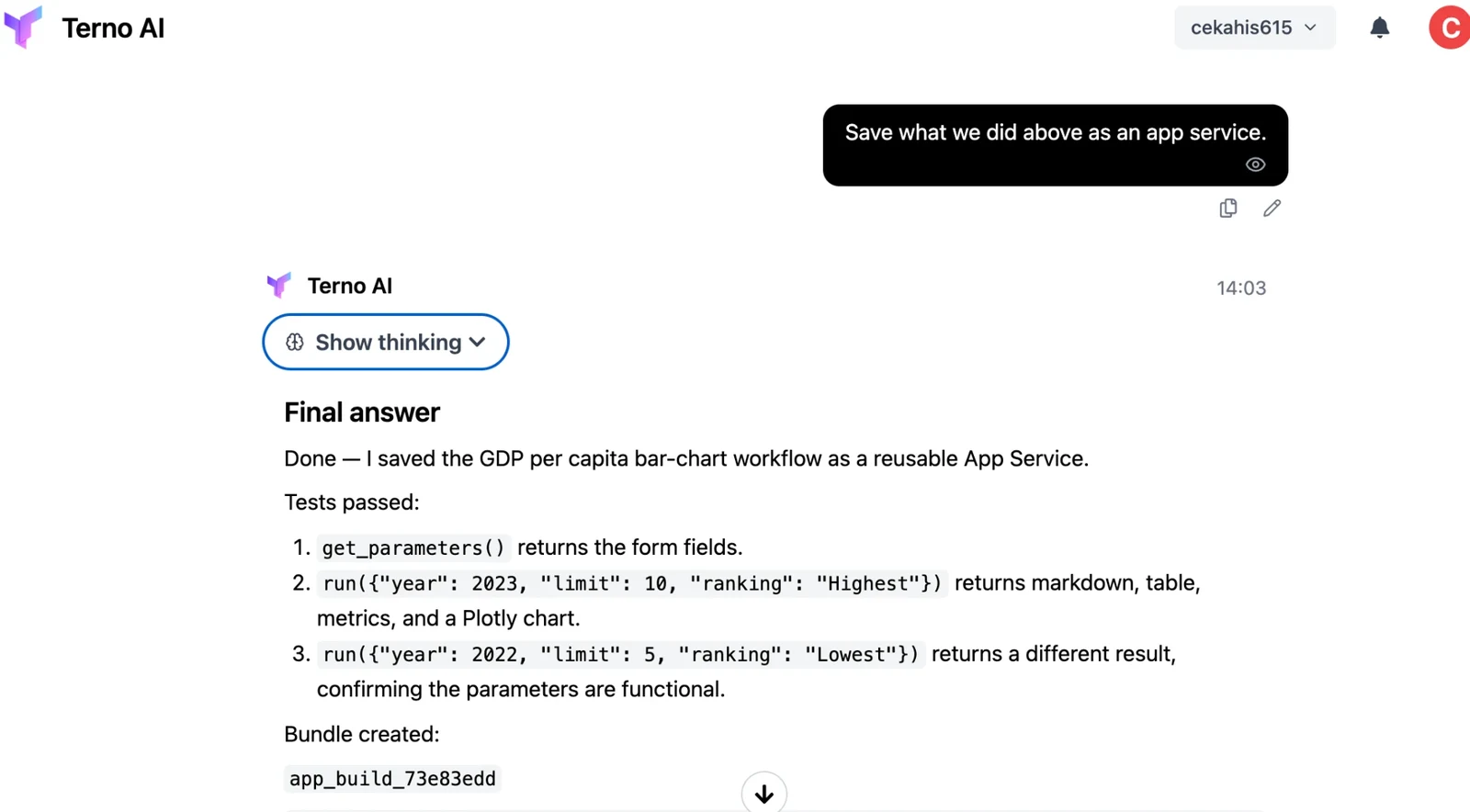
When it’s done, Terno tells you which inputs the app takes and shows the tests it ran. For example, it might run the app once for 2023 and once for 2022 to check that the inputs change the result.
Run an App Service
Section titled “Run an App Service”Open App Services from the sidebar, pick the app, set its inputs, and run it.
The Schedules tab lists your scheduled runs.