Microsoft Teams
Ask Terno AI questions about your data directly in Microsoft Teams.
-
Upload the Terno app (admin, once)
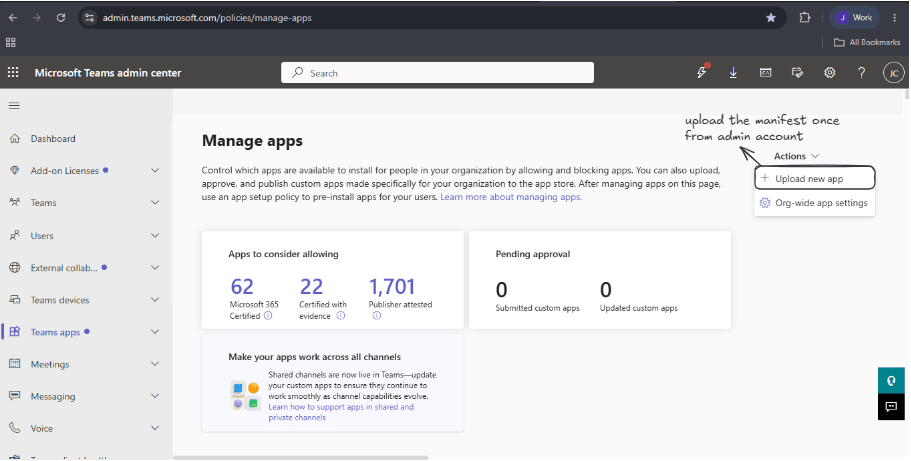
Download the Terno app package. Then, in the Microsoft Teams Admin Center, go to Manage apps and click Upload new app.
-
Add Terno in Teams
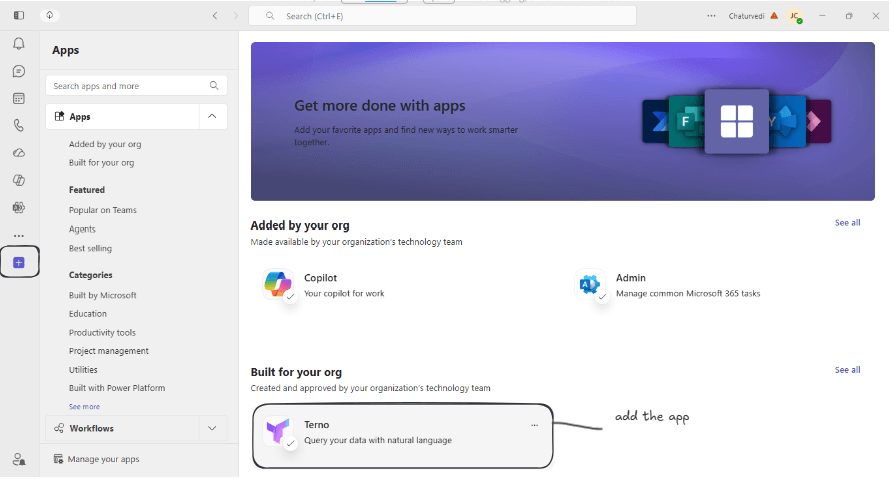
In Teams, open Apps. Under Built for your org, find Terno and click Add.
-
Connect from Terno
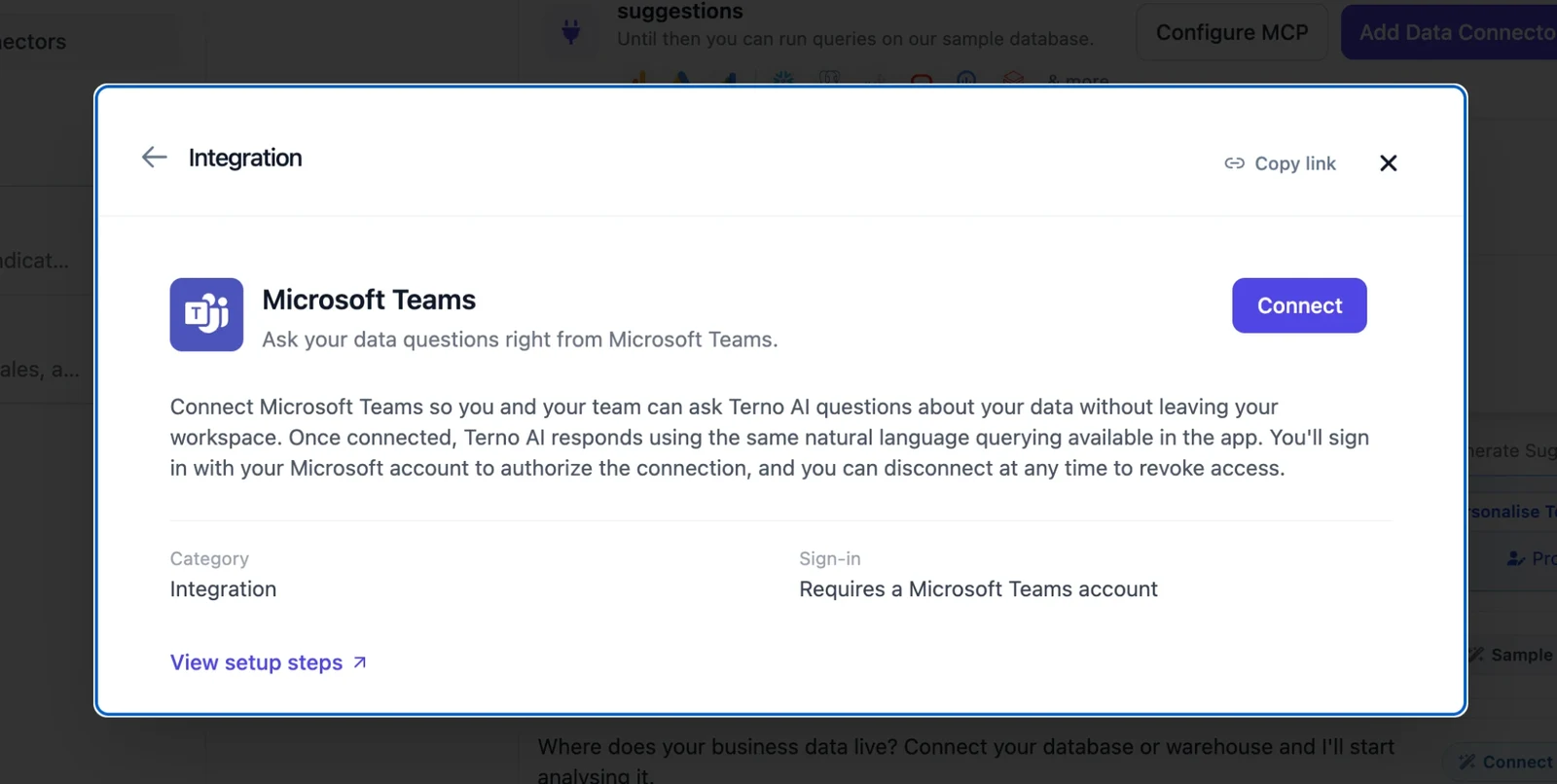
Click Add Data Connectors, open the Integrations tab, choose Microsoft Teams, and click Connect.
-
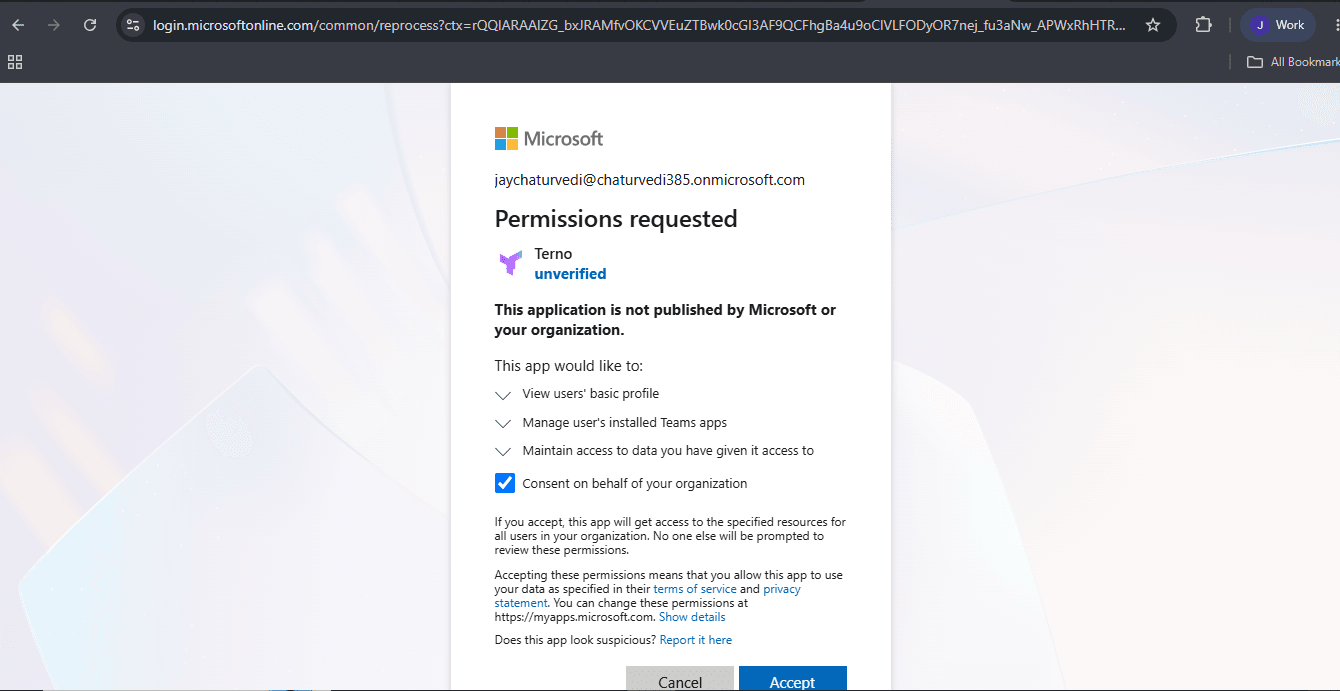
Authorize Terno
Microsoft shows the permissions Terno is asking for. Review them and click Accept.
-
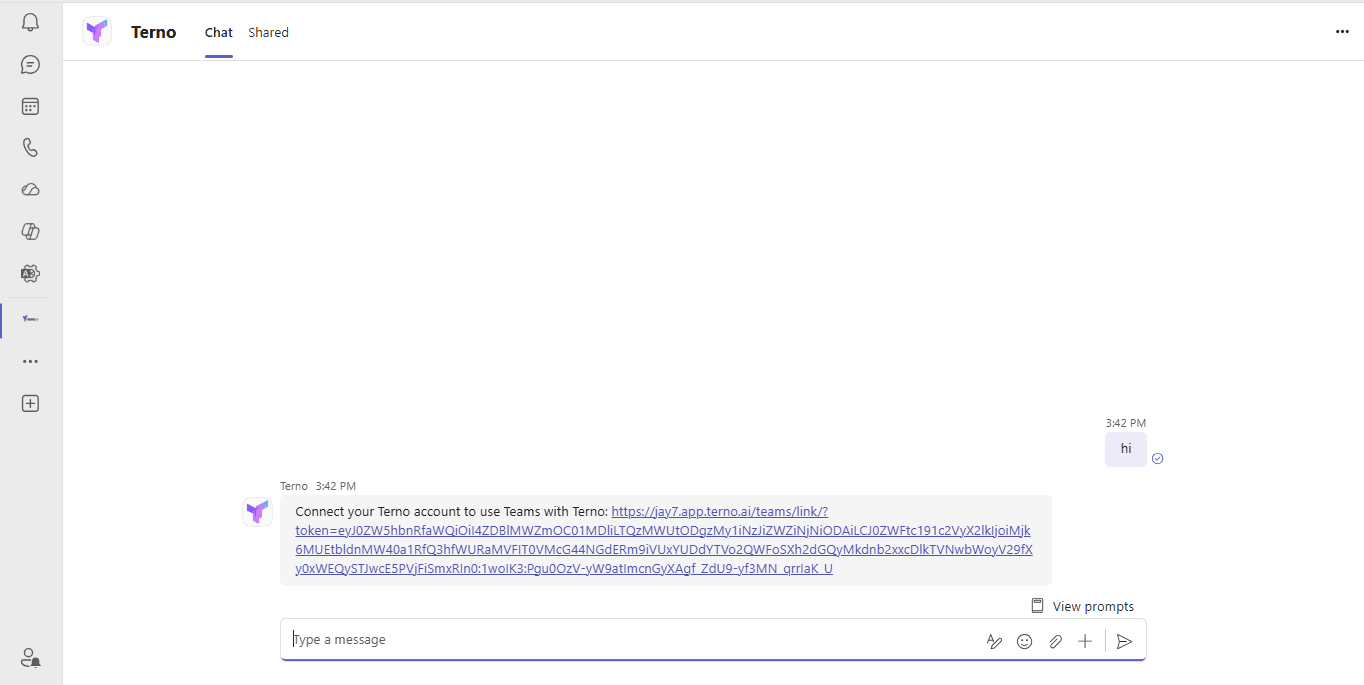
Link your Teams account
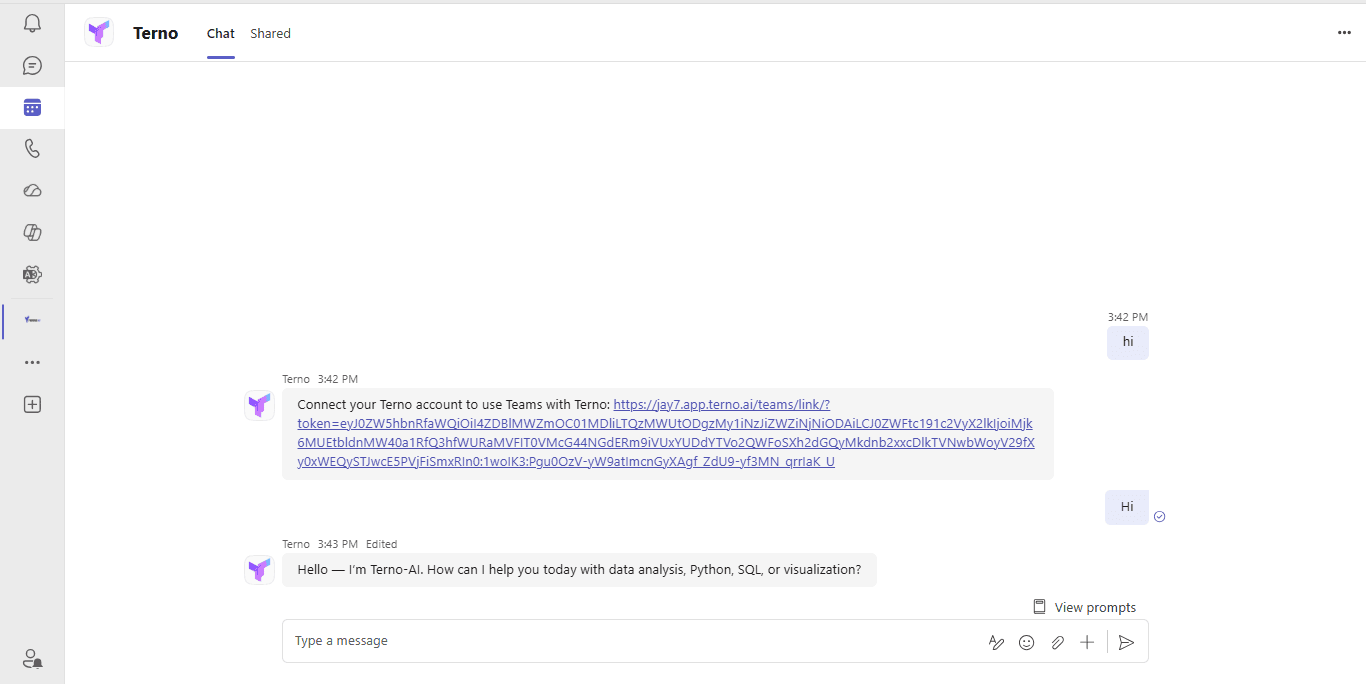
Open the Terno app in Teams and send any message, such as “hi”. Terno replies with a secure link that connects your Teams account to your workspace. Once linked, Terno confirms with ”✅ Connected to [your workspace name]!”
-
Start asking questions
Message Terno in Teams with a question about your data. Terno replies in the same chat.