Slack
Ask Terno AI questions about your data directly in Slack.
-
Open the Slack integration
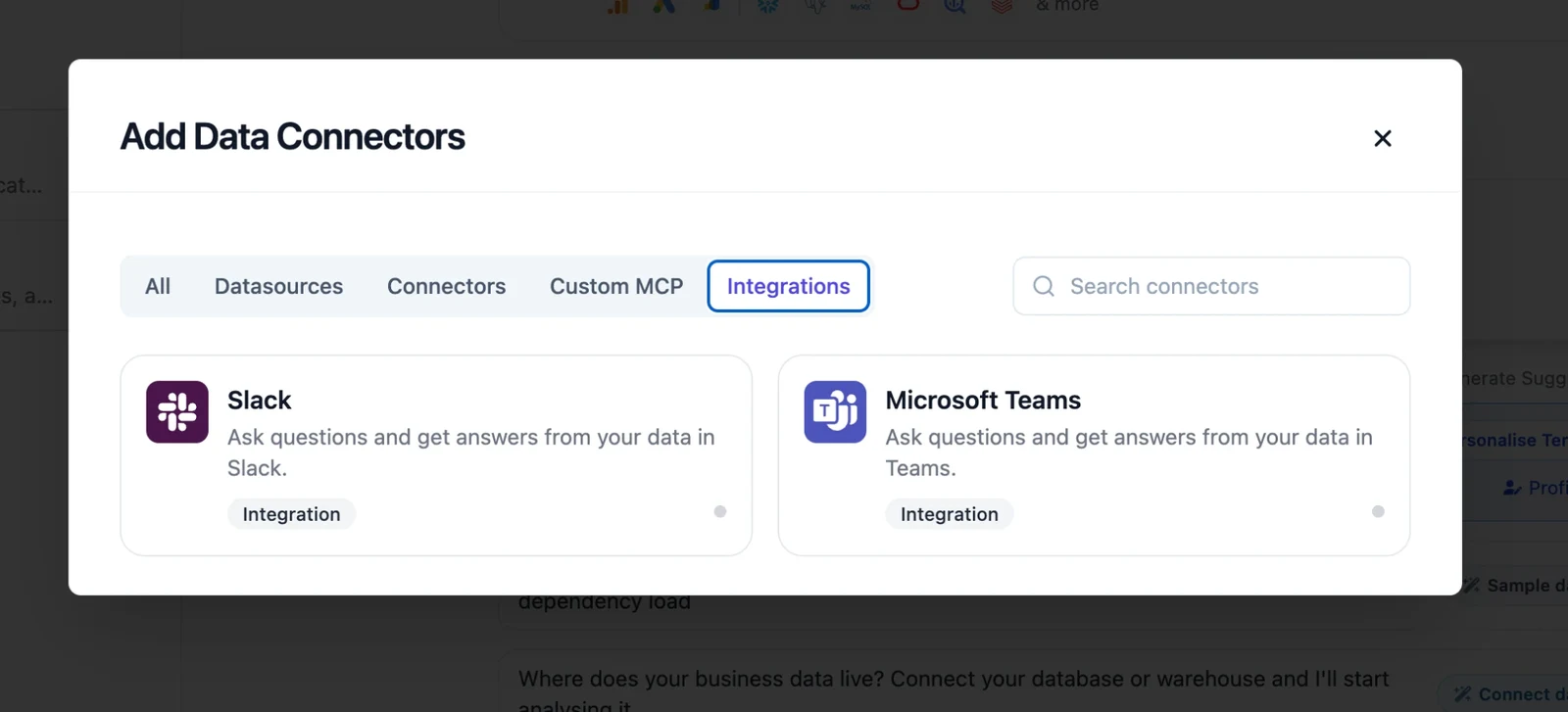
Click Add Data Connectors, open the Integrations tab, and choose Slack. You can also use + → Integrations in the question box.
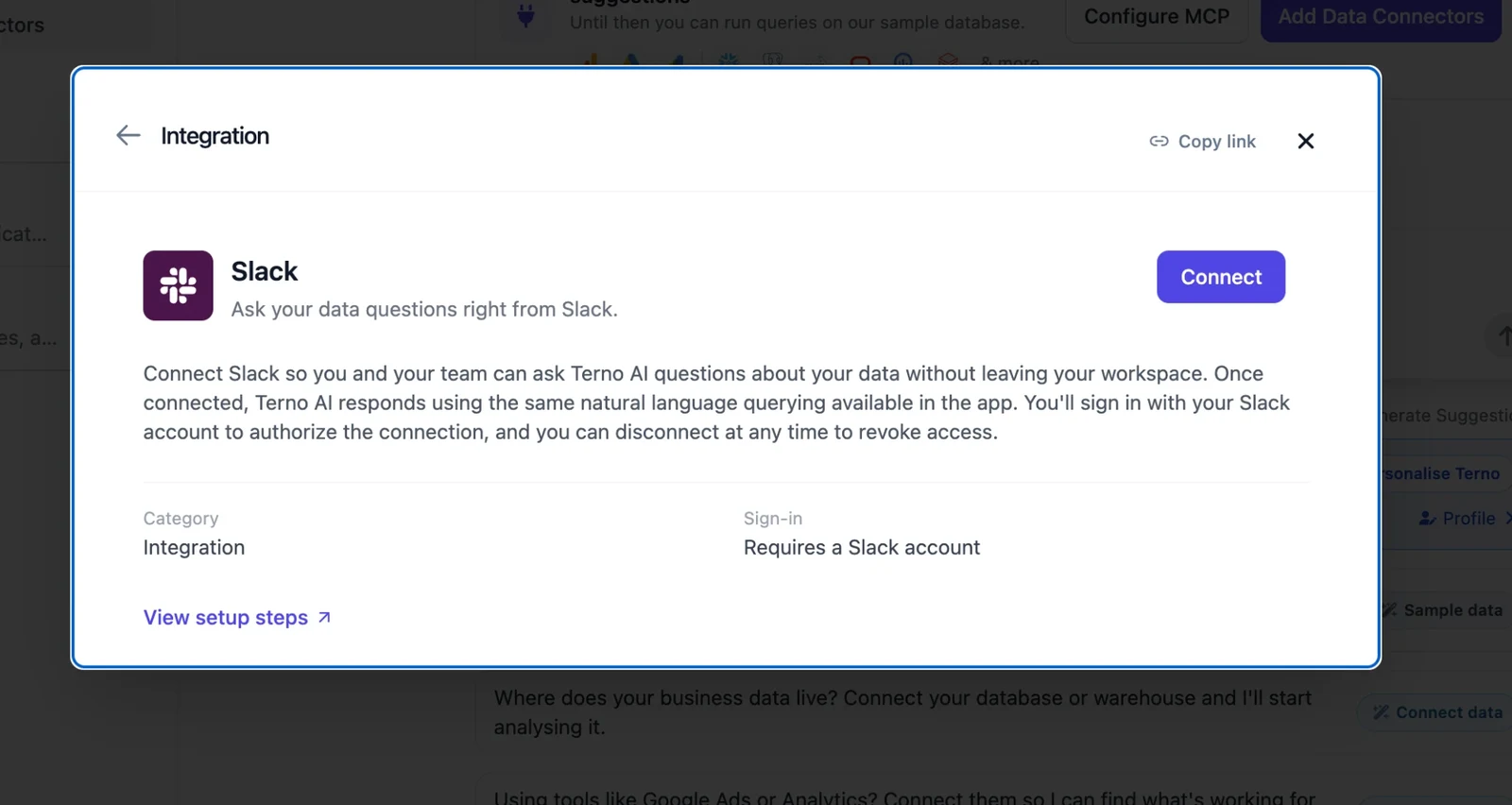
Click Connect. The View setup steps link on this card opens this guide.
-
Authorize the Terno app
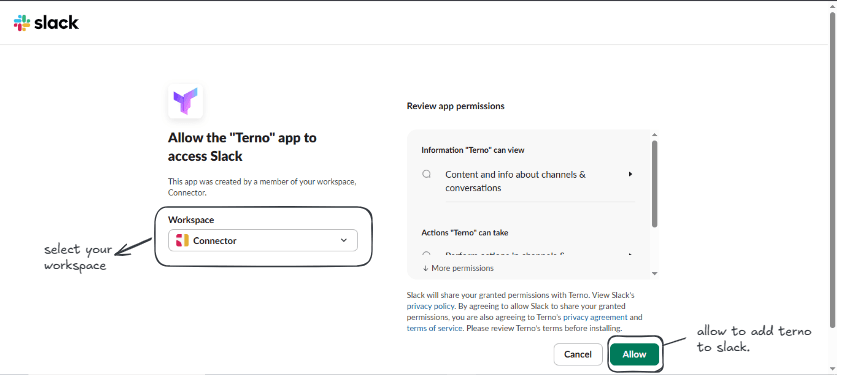
Slack opens its authorization screen. Pick the workspace to link, review the permissions, and click Allow.
-
Confirm the connection
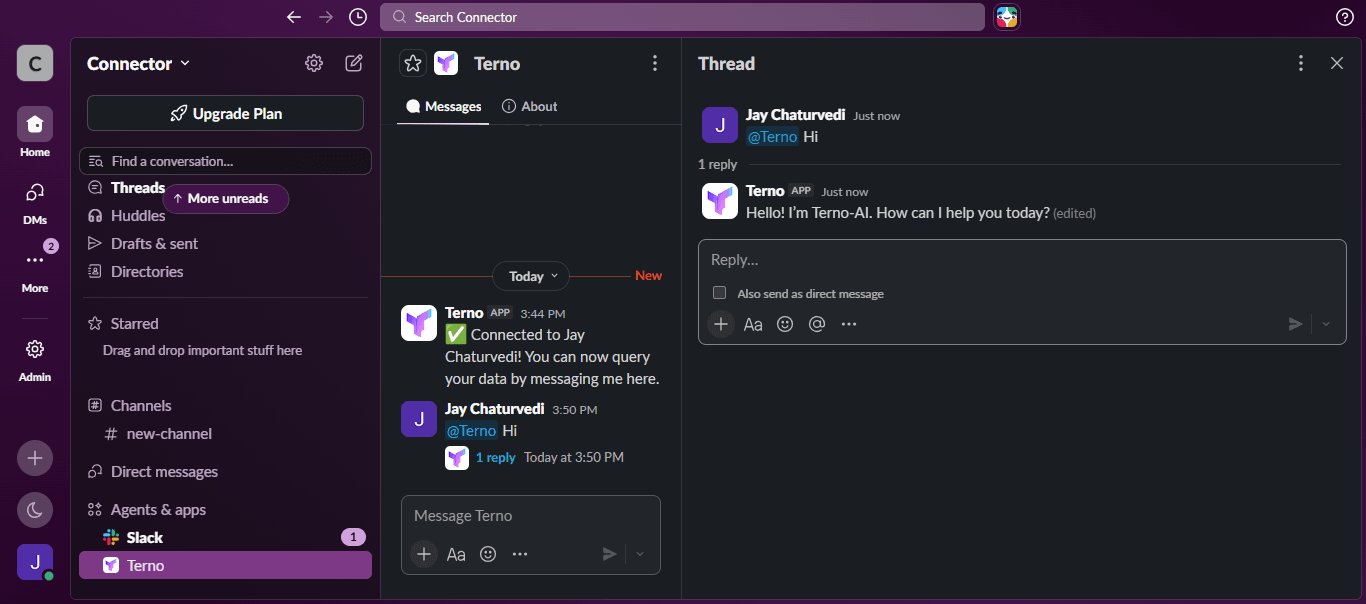
Terno posts a confirmation message in Slack, for example ”✅ Connected to [your workspace name]! You can now query your data by messaging me here.”
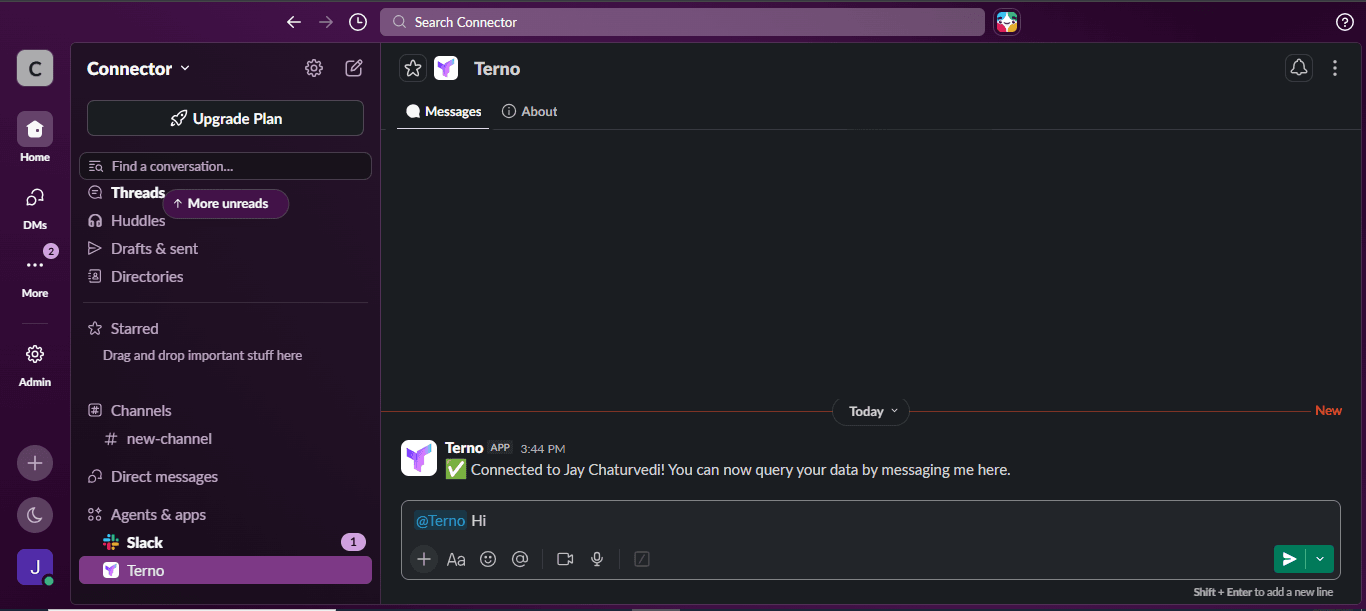
-
Start asking questions
Message @Terno in Slack with a question about your data, and Terno replies in Slack.